


Android POS system for stores that want mobile, low-cost selling
Good Cashier gives you an Android POS system that works well for touch-first selling, faster checkout, barcode workflows, and VIP payment actions. It is a practical choice for stores that want a cleaner, lighter, and more flexible front-counter setup.
If you want to start on a tablet, run a second cashier station, or keep hardware spending low, Android can be a very effective POS direction for small retail businesses.
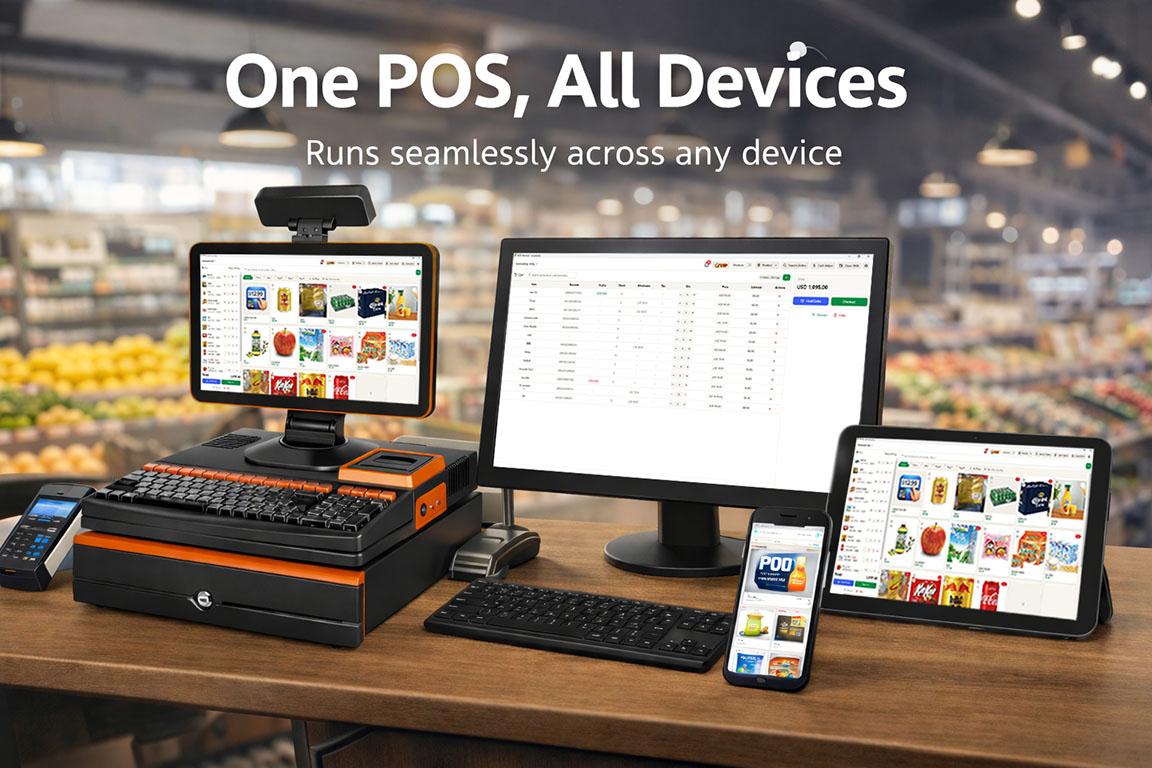
Why Android works well for many store counters
Android is a strong fit when you want simple hardware, fast touch interaction, and a more portable sales workflow.
Use low-cost Android tablets or phones
Android POS is practical for stores that want a lighter hardware setup. A budget tablet or phone can handle selling, product lookup, barcode workflows, and checkout.
Touch-first workflow for fast selling
Android devices work naturally for cashier taps, quick category switching, product search, member selection, and touch-based checkout flow.
Flexible for small counters and mobile selling
Android is easier when you have limited counter space, want a cleaner front desk, or need staff to move around the shop while still processing sales.
A practical second device for daily operations
Many stores use Android as a second POS device for rush periods, backup selling, or specific staff workflows while keeping the main dashboard elsewhere.
What an Android POS workflow looks like
Good Cashier keeps the Android flow focused on the actions stores need most at the point of sale.

Fast checkout on touch devices
Run day-to-day sales, category switching, item selection, cart management, and payment flow on an Android tablet or phone.

Barcode-friendly selling flow
Use barcode scanning and product search to add items quickly, especially in fast-moving retail environments.

VIP, wallet, and points in checkout
Select members, redeem points, and use wallet balance during checkout without leaving the Android POS screen.
Simple payment and order completion
Handle cash, QR code, and wallet-based checkout workflows in a streamlined Android POS experience.
A practical POS option for shops that want flexibility
Not every business wants a fixed cashier computer at every station. Android can be a smart choice for smaller counters, temporary selling points, fast-moving staff, or stores that want an additional POS device without adding much cost.
It is especially useful for retailers who want a modern touch interface, easier portability, and a quicker rollout using tablets or phones they can replace or scale more easily.
Typical Android POS use cases
- •Tablet POS for small retail stores
- •Android cashier app for grocery and convenience stores
- •Mobile backup POS device during busy hours
- •Counter-saving setup for small shops
- •Fast member and wallet checkout flow
- •Flexible POS station for staff movement
Download Good Cashier for Android
Start with Android if you want a lighter cashier setup, or pair Android POS with Windows dashboard management for a mixed-device store workflow.
Android POS system FAQ
Short answers for stores comparing tablet POS, mobile selling, and Android-based checkout.
Can I use Good Cashier as an Android POS system?
Yes. Good Cashier supports Android-friendly POS workflows for selling, item search, barcode use, member selection, and payment handling.
Is Android POS cheaper to start with?
Often yes. Many stores can begin with an affordable Android tablet or phone, which lowers upfront hardware cost compared with heavier POS setups.
When is Android better than Windows for POS?
Android is often better when you want a touch-first device, smaller counter footprint, portable selling, or an additional cashier device during busy periods.
Can I still use barcode scanning and VIP features on Android?
Yes. Good Cashier supports barcode-based selling plus VIP member, wallet, and points workflows in the Android checkout experience.
Explore the full retail POS setup
Compare POS features, Windows POS, Android POS, tutorials, and contact guidance so you can choose the right setup for your store.
Features
POS Features
Explore Good Cashier POS features for sales, inventory, barcode printing, staff permissions, stocktake, VIP loyalty, locations and chain store operations.
Windows POS
Windows POS
Use a Windows POS system on family PCs, old desktops or shop computers with barcode scanners, receipt printers and easy store management.
Tutorial
POS Tutorials
Read Good Cashier POS tutorials for products, inventory, barcode printing, stocktake, VIP members, locations, staff, alerts and stock transfers.
Contact
Contact
Contact Good Cashier about Windows POS, Android POS, inventory migration, barcode printing, retail setup and multi-store rollout planning.