


Core POS and inventory features
These are the main features most stores use every day: selling, product setup, stock control, barcode work, and member loyalty.

Products and Barcode Tools
Create products fast, manage barcode printing, package units, bundle recipes, open price items, and category shortcuts for fast checkout.
- • Add/edit products
- • Barcode generate and print
- • Package unit and bundle support
Sales and Checkout
Run retail checkout with barcode scanning, refund and return flows, receipt printing, wallet and VIP payment, and flexible discount control.
- • Fast POS selling
- • Refund and invoice support
- • VIP wallet and points at checkout

Inventory Management
Track stock in, stock out, damages, expiry, movements, and location-based inventory so you always know what is available.
- • Inventory movements
- • Expiry and low stock alerts
- • Warehouse and location tracking
Stocktake and Variance Review
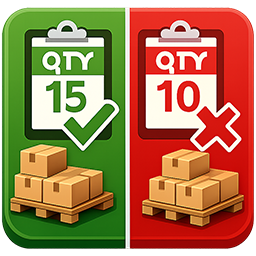
Count real stock, submit variances, and let boss or manager approve adjustments with a controlled workflow.
- • Create stocktake lists
- • Submit counted quantity
- • Variance approval flow

Stock Transfers Between Locations
Move stock from one location to another, receive quantities at destination, and keep clean IN/OUT records across your chain.
- • Transfer between stores
- • Receive and verify quantities
- • Track transfer history

VIP Members, Wallet, and Points
Build a loyalty workflow with member accounts, top-up packages, wallet balance, point earning, point redeem, and transaction history.
- • Member accounts
- • Wallet top-up packages
- • Points earning and redeem
Store operations and management
Good Cashier is not only a cash register. It also helps you control staff, locations, shifts, and operational visibility.

Locations and Chain Store Control
Every branch or warehouse can run as a location with separate receipt header, footer, logo, footer QR, and payment QR settings.
Staff Permissions
Create cashier and manager accounts, assign permissions, control refunds, inventory, stocktake, and product editing by role.

Shifts and Accountability
Review shift details, cashier activity, and force close a shift if a device is lost or not returned properly.

Alerts and Reports
Monitor negative stock, low stock, expiry alerts, and business performance with sales, cost, profit, and product reporting.
Built for practical store setups
Good Cashier is designed for real shop operations, not just demo checkout screens. It works well for stores that need product control, fast selling, staff management, stock movement, and simple deployment on common hardware.
Best fit scenarios
- • Retail stores and minimarts
- • Convenience stores and grocery shops
- • Liquor stores and cocktail bars
- • Multi-store businesses with stock transfer needs
Feature FAQs
Common questions from stores comparing POS system features, inventory tools, and multi-store workflows.
Does Good Cashier support barcode printing and scanning?
Yes. You can generate product barcodes, print labels, and use barcode scanners for fast POS selling and stock workflows.
Can I manage multiple locations and warehouses?
Yes. Each branch or warehouse can be set up as a location with separate payment QR codes, receipt settings, staff assignment, and stock movement records.
Does the POS system support inventory management?
Yes. Good Cashier includes stock in, stock out, inventory movement, stocktake, expiry handling, and transfer workflows.
Can I run VIP members, wallet top-ups, and points?
Yes. Good Cashier supports VIP member accounts, wallet balance, top-up packages, point earning, and point redeem during checkout.
See the features in action
Open the tutorial center for full image guides, or contact us if you want help choosing the right setup for your store.