1. Two Alert Types

There are two main alert groups on this page:

  • Inventory and expiry alerts: negative stock, low stock, expiring soon, and expired items.
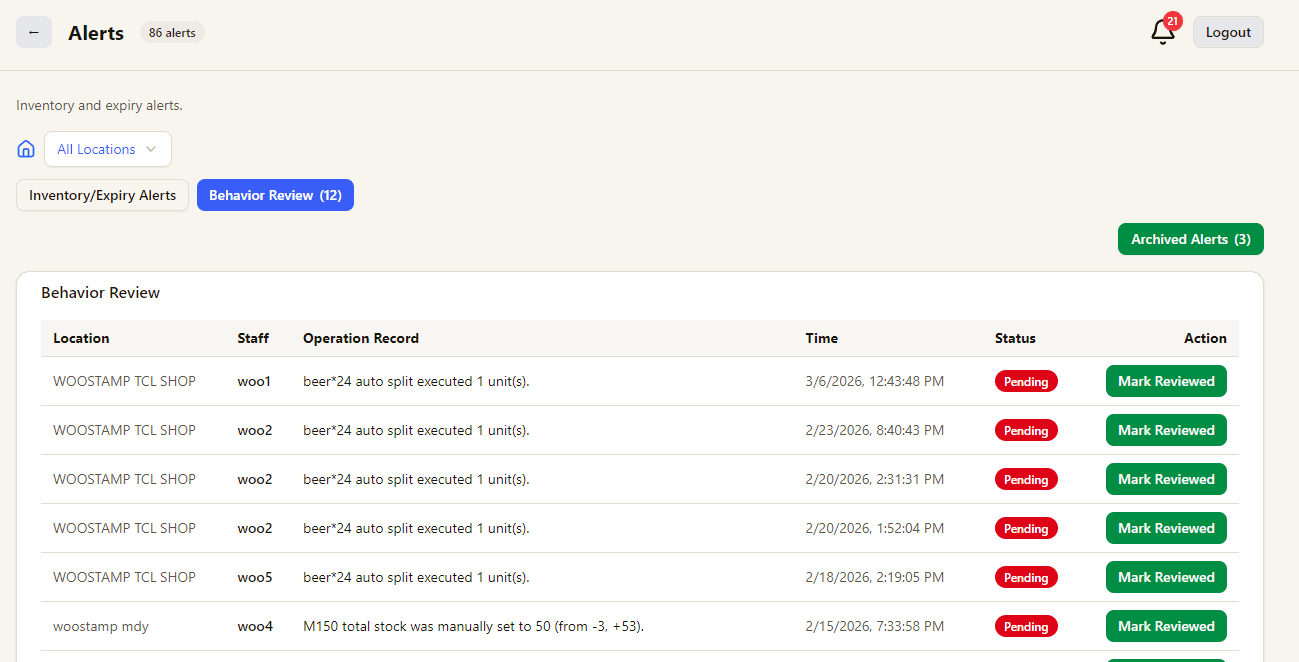
  • Behavior review alerts: important operations that need manager or owner review, such as auto split or manual stock adjustments.
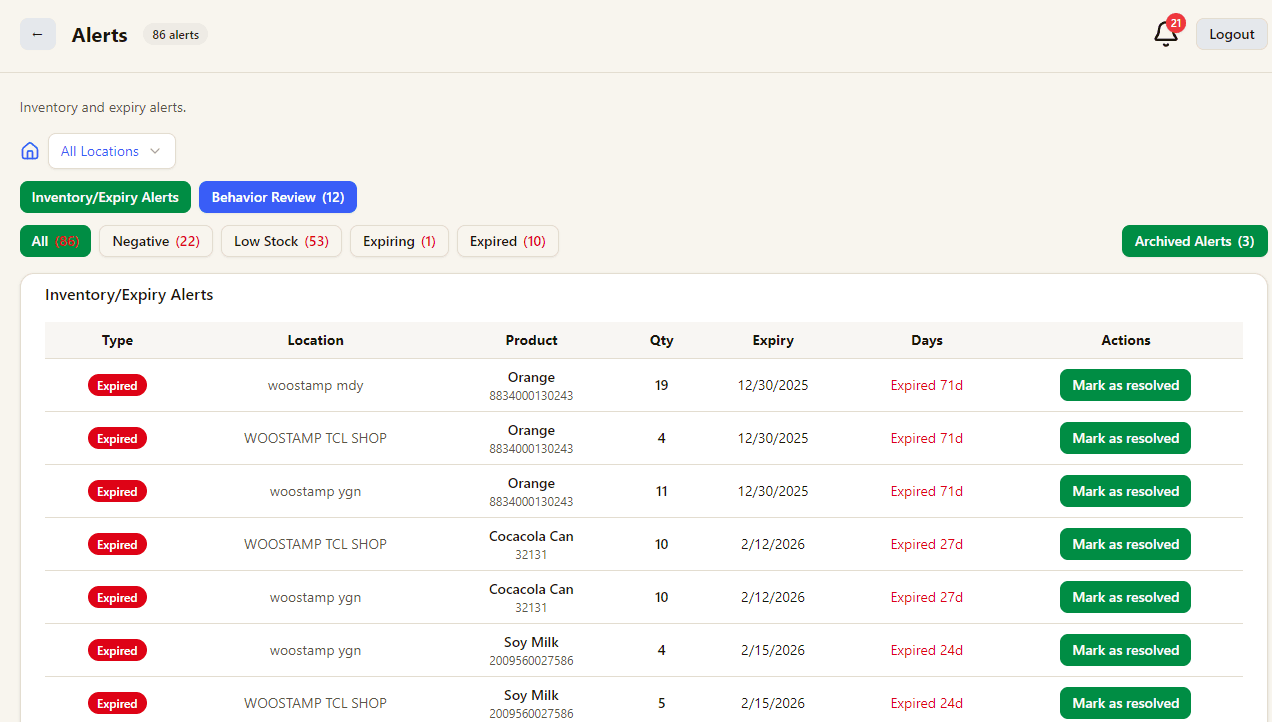
Inventory and expiry alerts
Behavior review alerts

2. Mark as Done

To stop completed alerts from repeating in the active list:

  • In Inventory and Expiry Alerts, click Mark as resolved.
  • In Behavior Review, click Mark Reviewed.
  • Completed items move out of the active list and remain available in Archived Alerts.
Related Pages

Explore the full retail POS setup

Compare POS features, Windows POS, Android POS, tutorials, and contact guidance so you can choose the right setup for your store.

Features

POS Features

Explore Good Cashier POS features for sales, inventory, barcode printing, staff permissions, stocktake, VIP loyalty, locations and chain store operations.

Open POS Features

Windows POS

Windows POS

Use a Windows POS system on family PCs, old desktops or shop computers with barcode scanners, receipt printers and easy store management.

Open Windows POS

Android POS

Android POS

Run Android POS selling flows on tablets and mobile devices with barcode scanning, VIP checkout, wallet payment and flexible cashier workflows.

Open Android POS

Contact

Contact

Contact Good Cashier about Windows POS, Android POS, inventory migration, barcode printing, retail setup and multi-store rollout planning.

Open Contact
Alerts and review reminders | Good Cashier POS Tutorial