

Store settings and global switches
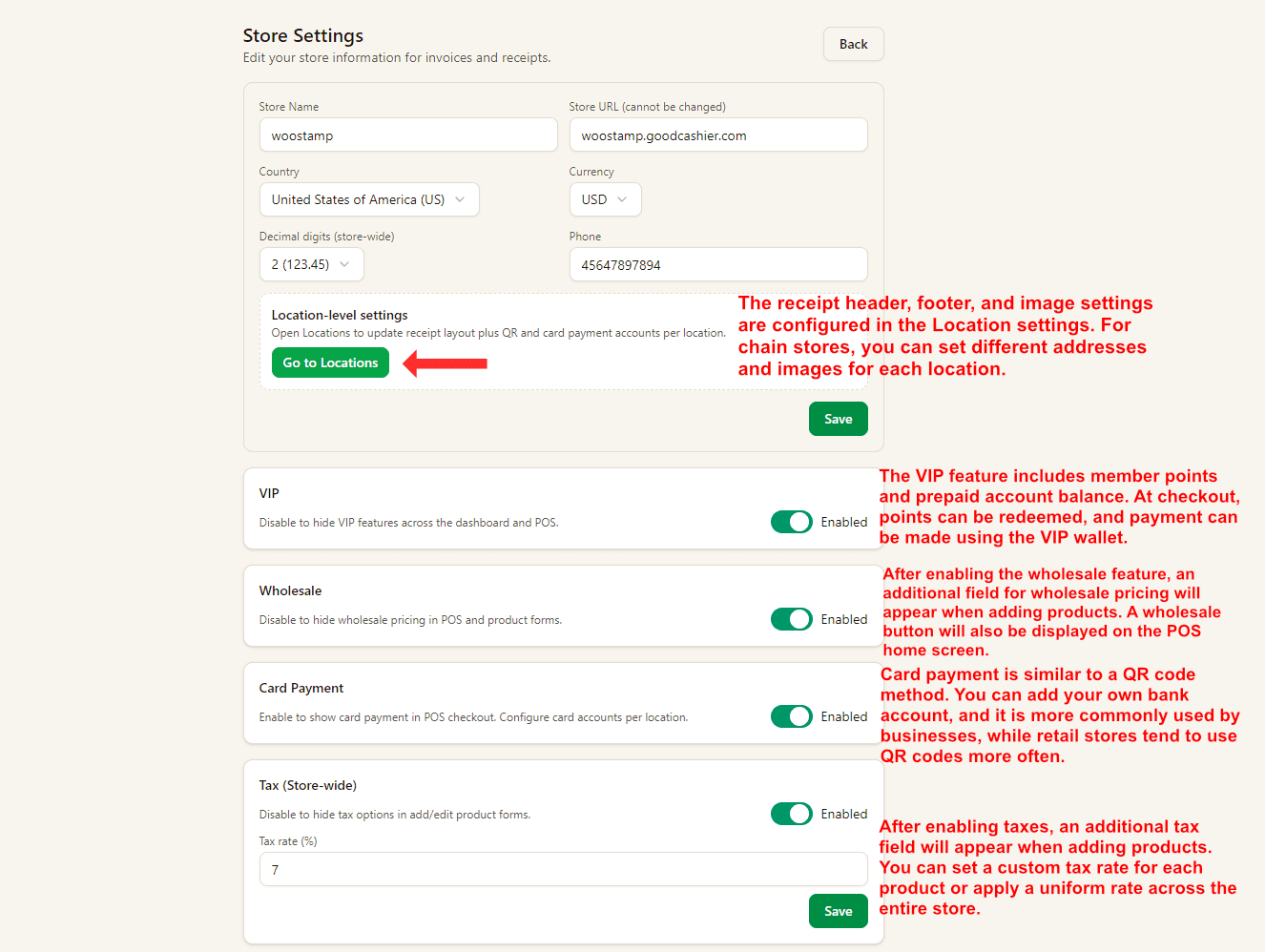
Manage store-level settings such as VIP, wholesale, card payment, and tax options from one page.
Set up printers, displays & scales
Watch on YouTube1. Store-Level Settings
Use this page to manage store-wide details such as store name, country, currency, decimal digits, and phone number. The store URL is fixed and cannot be changed.
The switches below control major features across dashboard and POS: VIP, Wholesale, Card Payment, and Tax.
After enabling Wholesale or Tax, extra pricing and tax fields appear in product forms and POS-related flows.
2. Receipt and Footer Settings Are Per Location
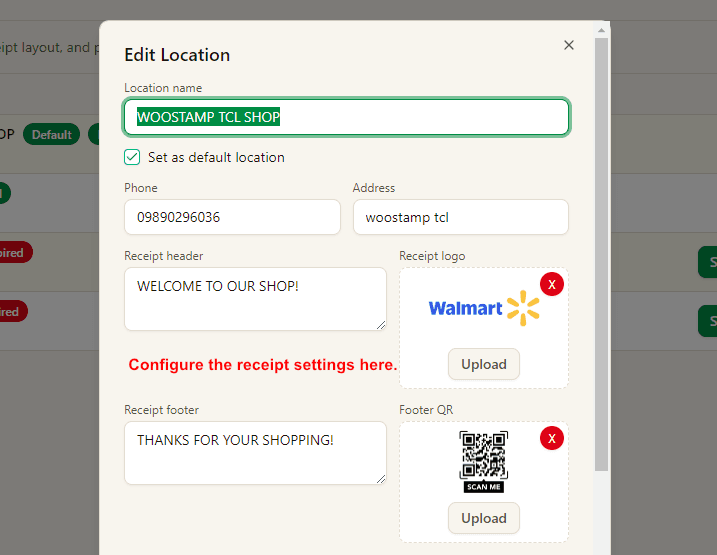
Receipt header, footer, logo, and footer QR are configured inside Locations, not in the store-level settings page.
Chain stores can use different receipt text, address details, and images for each location.
3. Manage Payment QR Carefully
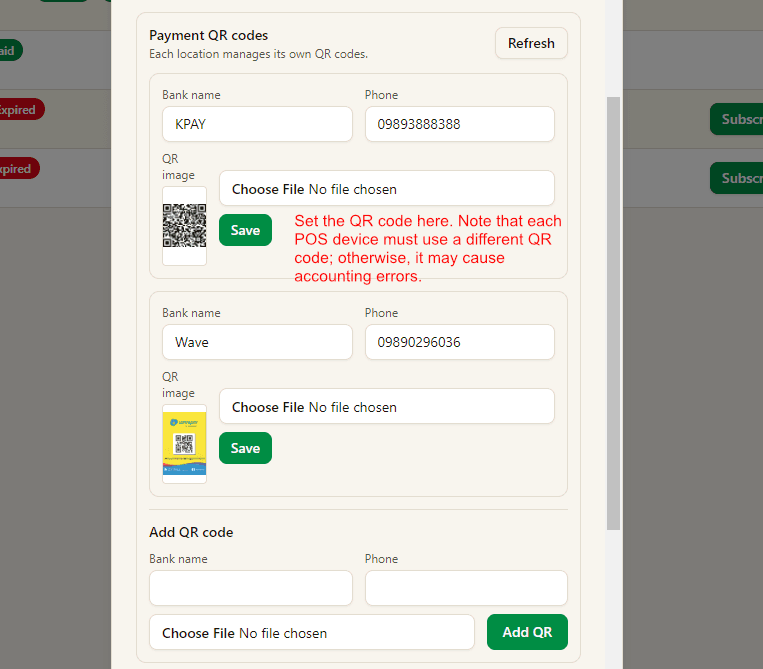
Payment QR codes are also managed per location. Add bank name, phone number, and QR image, then save each record.
Best practice: each POS device should use its own dedicated QR code when required. Reusing one QR code across multiple devices can create accounting confusion.